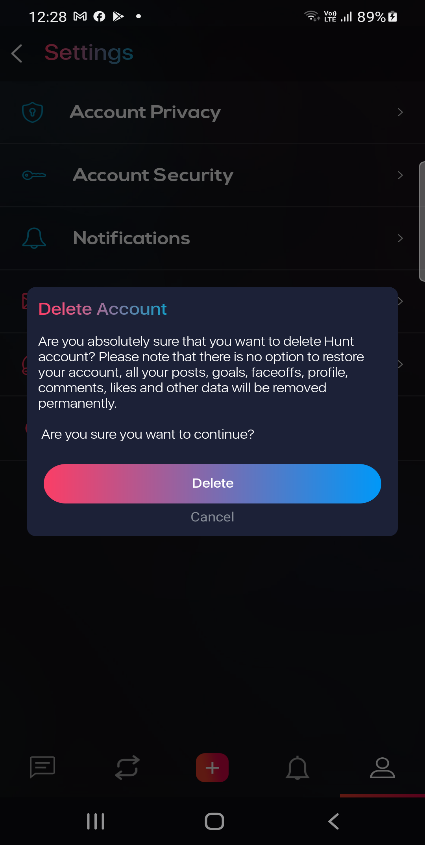
DELETE YOUR ACCOUNT
Hunt Begins is not just another app that believes in storing
all the data of our users, but we want to be your trusted
mobile app that you can rely upon for the safety of your
personal, financial and other information.
To achieve this, we use highly advanced Encrypted technology
for the protection of all details and data of the registered
and non-registered users. So, there is nothing to worry about
your safety.
But, in case you want to delete the account in order to
protect your safety, you can do it in just three simple steps.
When the account is deleted, all the files, details and data
stored for the particular account is deleted from all the
sources.
Here are the steps you can follow to delete your account:
Step 1: Open Hunt Begins app and click on Profile tab.
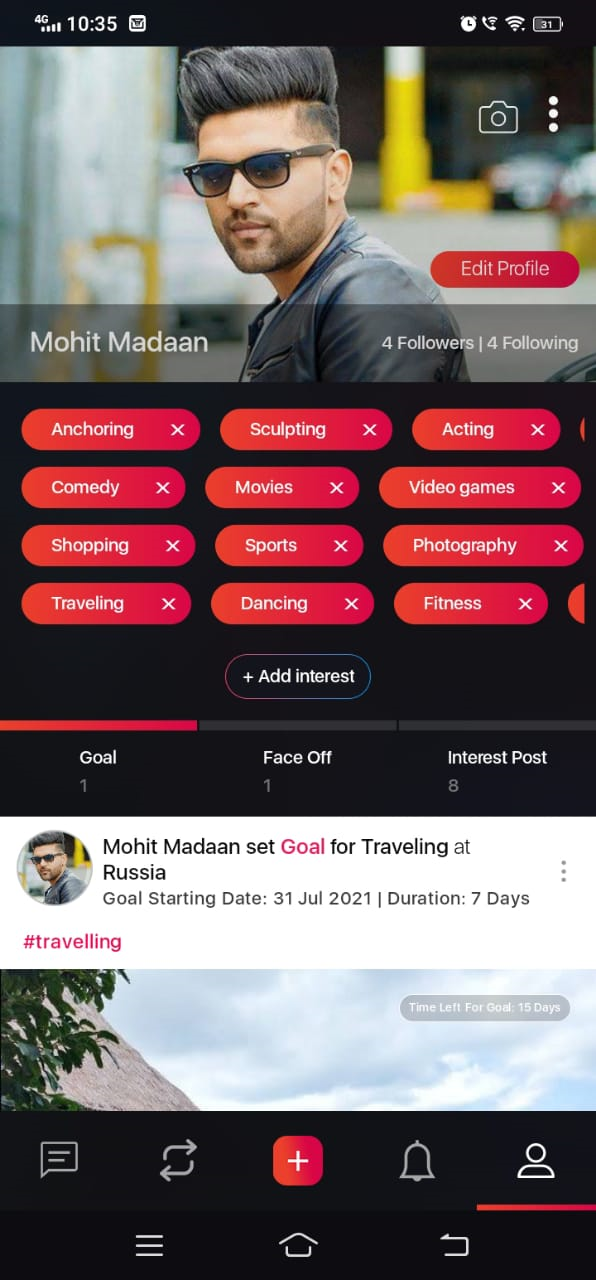
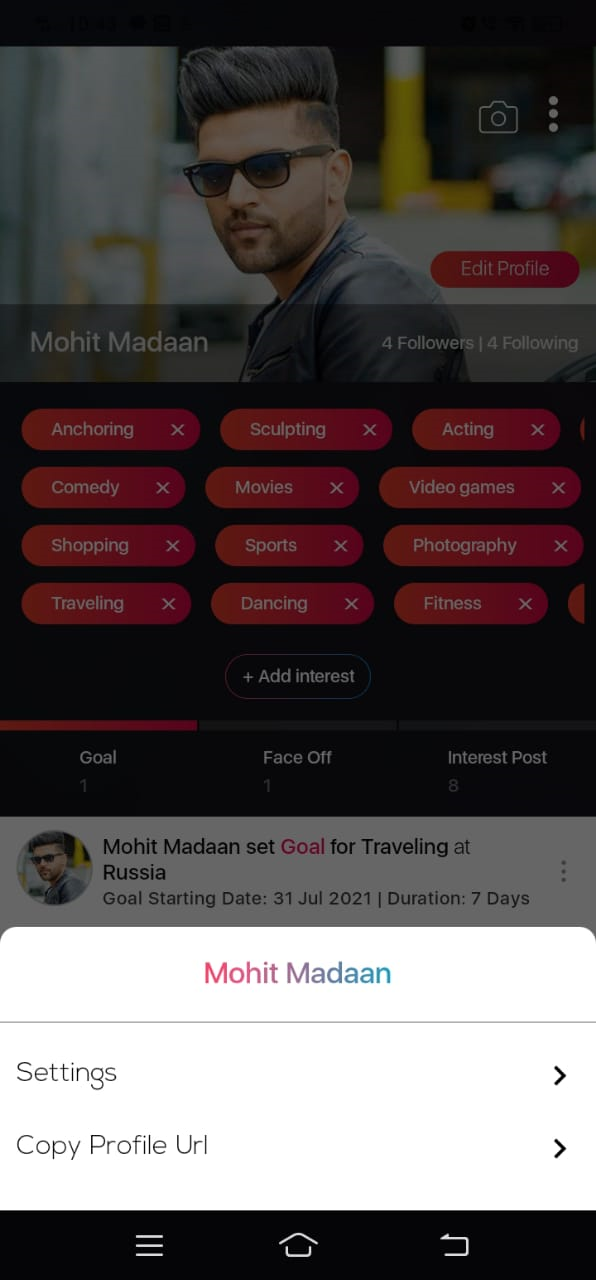
Step 2: Now click on the three vertical dots that are visible on the top right corner and click on ‘Settings”.
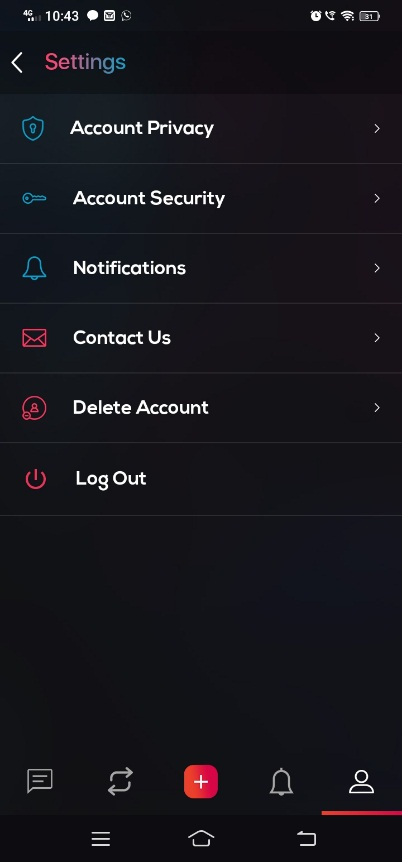
Step 3: Here you can see multiple options. Click on “Delete Account”.
Voila! Your account has been successfully deleted from our records. Please note that you cannot restore your account after this step as all the details, posts, goals, profile and comments will be permanently deleted from our record.